Zapier Automations for Property Managers: 7 Workflows That Save Hours
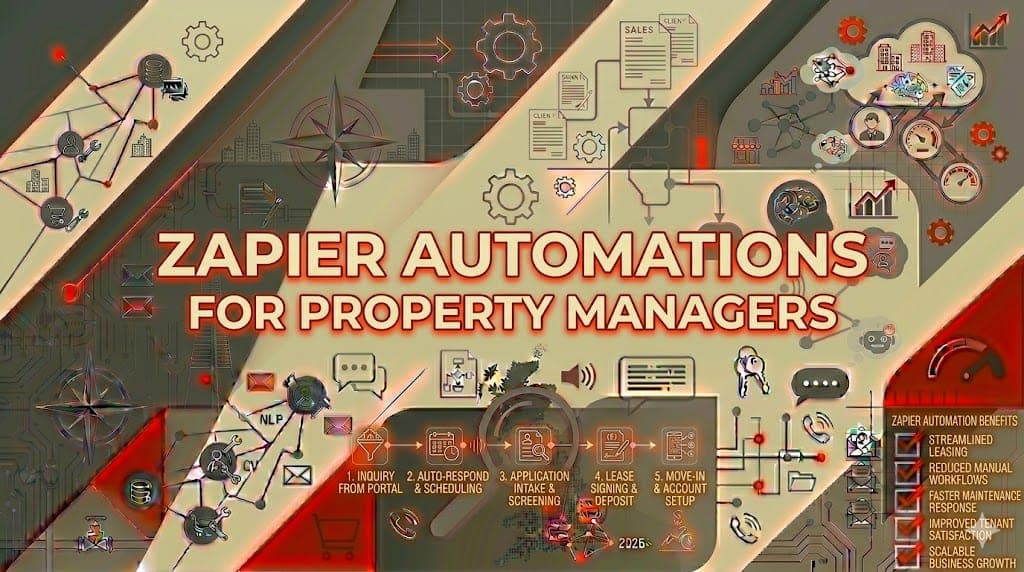
If you manage rental properties, you already know the routine. New enquiry comes in, you manually add it to your CRM. Tenant emails about a leak, you forward it to your maintenance contractor. Rent is late, you type another reminder. Viewing booked, you send a confirmation email.
Each task takes five minutes. But when you're managing 80, 150, or 300 units, those five-minute tasks fill your entire day. Zapier automations for property managers connect the tools you already use so these repetitive tasks happen automatically. No coding required. No new software to learn.
Here are seven specific Zapier workflows we've set up for UK letting agents, with step-by-step instructions so you can build them yourself.
What is Zapier and why does it matter for property management?
Zapier connects over 6,000 apps so they talk to each other automatically. When something happens in one app (a "trigger"), Zapier performs an action in another app. For example: when a tenant submits a maintenance request form, Zapier automatically creates a task in your project management tool, emails the relevant contractor, and sends the tenant a confirmation.
For property management automation Zapier enables, you don't need to replace your existing software. You keep using Arthur Online, Landlord Studio, Gmail, Google Sheets, or whatever you already rely on. Zapier just connects them.
Pricing starts at free (100 tasks per month) and scales to £16+ per month for more volume. Most letting agents managing 50-200 units spend £20-50 per month on Zapier.
Workflow 1: Automatic lead capture and follow-up
The problem: A potential tenant fills out an enquiry form on Rightmove or your website. You don't see it for hours. By the time you respond, they've booked a viewing with another agent.
The Zapier workflow:
- Trigger: New form submission (Google Forms, Typeform, or website contact form)
- Action 1: Add contact to your CRM or Google Sheet
- Action 2: Send personalised acknowledgement email within 60 seconds
- Action 3: Create a task in your to-do list to follow up within 24 hours
Result: Every enquiry gets an instant response. No leads slip through the cracks. One letting agent in Manchester saw their enquiry-to-viewing conversion rate jump 35% after implementing this workflow.
Setup time: 30 minutes.
Workflow 2: Automated rent reminders
The problem: You manually check who's paid and send reminder emails to those who haven't. Every month.
The Zapier workflow:
- Trigger: Scheduled date (3 days before rent due date)
- Action 1: Check tenant payment status in your tracking spreadsheet
- Action 2: For unpaid tenants, send personalised reminder email with amount, reference, and payment link
- Action 3: Log the reminder in your records
Result: Rent reminders go out on time without you touching them. Add a second Zap for follow-ups at day +2 and day +5. We cover this in detail in our automate rent reminders guide.
Setup time: 45 minutes for the full three-stage sequence.
Workflow 3: Maintenance request triage
The problem: Tenant reports a broken boiler. You read the email, decide it's urgent, find the right contractor's number, call them, then email the tenant to confirm. All manual.
The Zapier workflow:
- Trigger: New maintenance request submitted via Google Form
- Action 1: Categorise by type (plumbing, electrical, general) and urgency using Zapier's built-in filters
- Action 2: Email the relevant contractor with job details
- Action 3: Send tenant a confirmation with expected response time
- Action 4: Create a tracking entry in your maintenance log
Result: Maintenance requests are routed instantly. The Renters' Rights Act 2026 measures response times from when the tenant reports the issue, not when you read the email. Automated triage protects you legally. Read more in our maintenance request automation guide.
Setup time: 1 hour.
Workflow 4: Viewing confirmation and reminders
The problem: You schedule a viewing, send a confirmation, then forget to send a reminder. The tenant doesn't show up. You've wasted 30 minutes waiting at an empty property.
The Zapier workflow:
- Trigger: New event in Google Calendar (tagged "viewing")
- Action 1: Send confirmation email with property details, address, and your contact number
- Action 2: 24 hours before the viewing, send a reminder text via SMS (using Twilio or similar)
- Action 3: After the viewing time, send a follow-up email asking for feedback
Result: No-show rates drop significantly. Follow-up emails capture interested tenants who might otherwise go quiet.
Setup time: 45 minutes.
Workflow 5: Tenant onboarding sequence
The problem: New tenant moves in. You need to send them a welcome pack, utility company contacts, bin collection days, emergency numbers, house rules, and meter reading instructions. You either forget half of it or spend an hour compiling emails.
The Zapier workflow:
- Trigger: Tenancy start date in your spreadsheet
- Action 1: Day 0: Send welcome email with property guide, key contacts, and house rules
- Action 2: Day 1: Send utility transfer instructions
- Action 3: Day 3: Send meter reading request
- Action 4: Day 7: Send check-in email asking if everything is OK
Result: Every tenant gets the same comprehensive onboarding. Nothing gets forgotten. This is part of broader tenant communications automation.
Setup time: 1 hour for the full four-email sequence.
Workflow 6: Compliance certificate tracking
The problem: Gas safety certificates, EPC ratings, electrical inspections, and legionella risk assessments all expire on different dates. Missing one is a legal violation under UK housing legislation.
The Zapier workflow:
- Trigger: Scheduled check (weekly) against your compliance tracking spreadsheet
- Action 1: For any certificate expiring within 60 days, send you an alert email
- Action 2: At 30 days, create a task to book the inspection
- Action 3: At 14 days, send an urgent reminder if not yet renewed
Result: You never miss a compliance deadline. For agencies managing 100+ properties, this Zapier property management workflow alone justifies the subscription.
Setup time: 45 minutes.
Workflow 7: Automated review requests
The problem: A tenancy ends smoothly. The tenant was happy. But you never asked for a Google review because you were already dealing with the next crisis.
The Zapier workflow:
- Trigger: Tenancy end date in your spreadsheet (or "check-out complete" status)
- Action 1: Wait 2 days
- Action 2: Send personalised email thanking the tenant and asking for a Google review with direct link
- Action 3: Log the request
Result: Consistent review requests build your Google profile over time. A Bristol letting agent went from 12 to 47 Google reviews in six months using this single automation.
Setup time: 20 minutes.
How to get started with Zapier for property management
Step 1: Sign up for Zapier
Create a free account at zapier.com. The free tier gives you 100 tasks per month, enough to test your first workflow.
Step 2: Pick your highest-value workflow
Look at the seven workflows above. Which one would save you the most time this week? Start there. Don't try to build all seven at once.
Step 3: Connect your apps
Zapier will walk you through connecting your email, calendar, spreadsheet, and other tools. The process takes 5 minutes per app.
Step 4: Build, test, and launch
Build your first Zap using Zapier's visual editor. Test it by triggering it manually. Fix any issues. Then turn it on.
Step 5: Add more workflows
Once your first Zap is running smoothly, add the next one. Most letting agents build all seven within a month.
When Zapier isn't enough
Zapier handles straightforward trigger-action workflows brilliantly. But there are situations where you need more:
Complex decision-making: If your maintenance triage needs to consider 10 different factors, Zapier's filters get unwieldy. This is where AI-powered triage (using a custom GPT) works better.
High-volume processing: If you're managing 500+ units, Zapier's pricing can escalate. Make.com or n8n offer more cost-effective alternatives for high-volume workflows.
Full automation systems: When you want an integrated system where all seven workflows work together seamlessly, our no-code automation service builds and maintains the complete setup.
Custom AI responses: If you want your system to draft personalised replies to tenant emails (not just route them), you need a custom AI assistant on top of Zapier.
Get professional help with property management Zapier automations
If you'd rather have someone build these automate property management tasks workflows for you, book an AI Assessment. We'll map your entire workflow, identify which automations will save the most time, and build them.
£499 for the assessment, money-back guarantee. Most property managers see 5-8 hours saved per week across all letting agent automation workflows.
Or start with the free AI audit to check your automation readiness, or use the AI savings calculator to estimate your time savings.
Your AI for property managers toolkit starts with Zapier. Where it goes from there is up to you.