AI Tax Return Preparation UK: How Accountants Are Cutting Return Time in Half
Stuart runs a four-person accounting practice in Wolverhampton. Every January, the same thing happens: 180 Self Assessment returns land in a six-week window, his team works evenings and weekends, and at least two clients submit their records on the 29th expecting a miracle. Last January, Stuart tried AI tax return preparation UK accountants had been talking about on AccountingWeb forums. He ran 40 of his most straightforward returns through an AI-assisted workflow. The result: those 40 returns took 62 hours instead of the usual 130. His team went home on time for the first time in three Januarys.
Stuart is not unusual. A TaxFix survey found that 59% of UK taxpayers are already using AI to help with their Self Assessment returns. Three out of four plan to use AI for their next return. Your clients are experimenting with these tools whether you recommend it or not, and 73% of accountants say they are concerned about the quality of AI-generated tax advice their clients bring in.
The question is not whether AI will change tax return preparation in the UK. It already has. The question is whether you will lead the change in your practice or spend January fixing the mess your clients made with ChatGPT. This guide covers how AI tax return preparation works for UK accountants, which tools deliver real results, and how to set it up without compromising accuracy or HMRC compliance.
Want a personalised map of where AI fits in your practice? Our AI Assessment at £499 identifies every automation opportunity across your workflows, with a money-back guarantee if we cannot find at least five hours of weekly savings.
Why AI tax return preparation matters now
Two deadlines are colliding. The 31 January Self Assessment deadline already creates the busiest period in any accounting practice. From 6 April 2026, Making Tax Digital for Income Tax becomes compulsory for sole traders and landlords earning over £50,000. That means quarterly submissions on top of annual returns.
For a practice with 60 qualifying clients, MTD alone adds 240 quarterly submissions per year. Add your existing Self Assessment workload and the maths is clear: you cannot scale by hiring more staff at £28,000 to £35,000 per head. You need to automate the routine work so your team can focus on complex returns, advisory, and client relationships.
Helen runs a six-person practice in Exeter. She calculated her team's time on Self Assessment returns last year: 14 minutes average on data gathering per return, 22 minutes on preparation and cross-checking, 8 minutes on submission and filing. For 300 returns, that is 220 hours of work, nearly six full weeks of one person's time. "The preparation is where we lose the most time," she said. "Checking bank statements against receipts, categorising expenses, spotting missing information. It is repetitive and it is exactly what AI is good at."
The firms that automate tax returns now will handle the MTD transition without hiring. The firms that wait will be recruiting in a market where qualified accountants are already scarce. AI for accountants tax season is no longer optional; it is the difference between a manageable January and a miserable one. See our full guide on MTD automation for accountants for the quarterly submission side.
How AI tax return preparation actually works
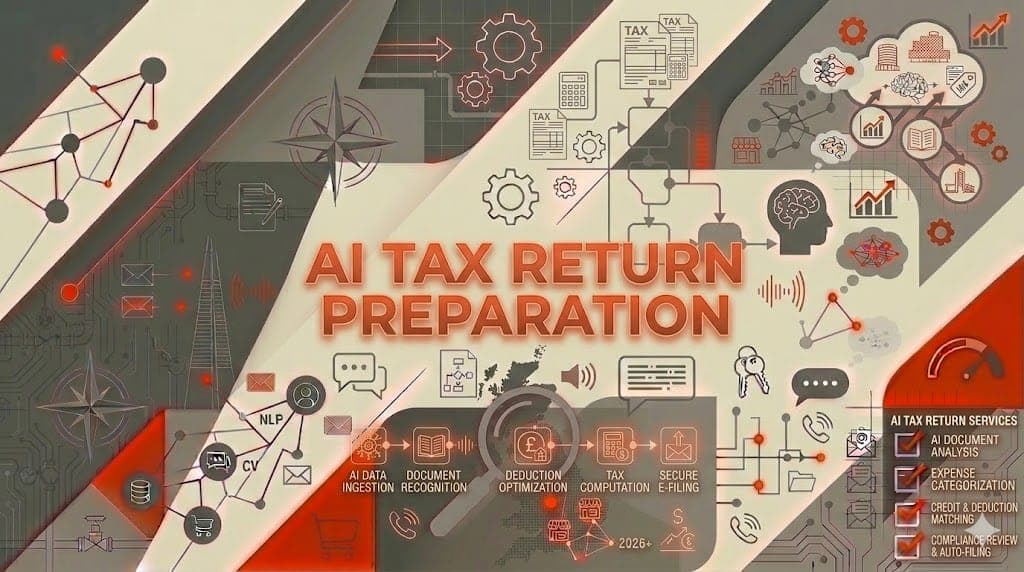
AI tax return preparation is not a single tool that does everything. It is a workflow where AI handles the repetitive stages and humans handle the judgement calls. Here is what that looks like in practice for a UK accounting firm.
Stage 1: Data extraction and categorisation
This is where AI saves the most time. The AI reads bank statements, receipts, invoices, and expense records, then categorises every transaction by type: business income, allowable expenses, capital expenditure, personal items to exclude.
Tools like Dext claim 99.9% accuracy on receipt extraction. Xero and FreeAgent use machine learning to suggest categorisations that improve over time as you correct them. For tax preparation automation specifically, these tools can pre-populate income and expense summaries that form the basis of the Self Assessment return.
What used to take 15 to 20 minutes per client, manually reviewing bank feeds and matching receipts, now takes 2 to 3 minutes of checking AI-categorised data.
Stage 2: Return preparation and anomaly detection
Once the data is categorised, AI can draft the return. Modern tax software with AI capabilities will flag common issues: missing CIS deductions, property income without mortgage interest claims, mileage allowances not claimed, gift aid donations that could reduce the tax bill.
This is where AI tax return preparation UK practices find most valuable. The AI does not just fill in boxes. It checks for inconsistencies: income that appeared last year but not this year, expenses that are significantly higher or lower than previous periods, claims that might trigger HMRC's own AI-powered risk detection systems.
HMRC is using AI for anomaly detection and risk modelling on submitted returns. If your AI catches the same anomalies before submission, you reduce your clients' audit risk and demonstrate the value of professional preparation over DIY AI tools.
Stage 3: Human review and sign-off
This is the stage that separates professional AI tax return preparation from a client typing numbers into ChatGPT. A qualified accountant reviews every AI-prepared return, checking for: correct treatment of complex items (capital gains, foreign income, property disposals), appropriate relief claims (entrepreneurs' relief, overlap relief, loss carry-forward), HMRC compliance and anti-avoidance considerations, and anything the AI flagged as unusual.
The AI handles the 80% that is routine. The accountant focuses on the 20% that requires professional judgement. That is the right division of labour.
Stage 4: Submission and record-keeping
AI-assisted submission through HMRC-recognised software creates a complete audit trail: when the return was prepared, what data sources were used, which items were AI-categorised versus manually reviewed, and the timestamp of submission. This matters for professional indemnity insurance and for demonstrating due diligence if HMRC queries a return.
Best AI tools for UK tax return preparation
Not every accounting AI tool is suited to tax return work. Here are the ones UK practices are actually using for AI Self Assessment tax returns, ranked by how much time they save on the preparation workflow.
For data extraction
| Tool | Monthly Cost | Best For |
|---|---|---|
| Dext | From £24/mo | Receipt and invoice extraction, multi-client |
| Xero + AI features | From £15/mo | Integrated bookkeeping with smart categorisation |
| FreeAgent | From £19/mo | Sole traders and micro-businesses |
For return preparation
| Tool | Monthly Cost | Best For |
|---|---|---|
| Sage Accounting | From £12/mo | Self Assessment with direct HMRC submission |
| untied | From £9.99/mo | MTD-ready personal tax with AI features |
| TaxCalc | From £35/return | Practice-grade tax computation software |
| Iris | Custom pricing | Larger practices with complex client bases |
For client communication
Use a custom AI assistant trained on your practice's processes to handle the annual "what do I need to send you?" questions. Every January, accountants answer the same 15 questions hundreds of times. An AI assistant handles these instantly, freeing your team for actual tax work.
What AI can and cannot handle in UK tax returns
Being honest about limitations builds trust with clients and protects your practice. Here is a practical breakdown.
AI handles well
- Routine Self Assessment returns: Employed income plus some investment income, standard allowances, straightforward property income
- Data gathering and categorisation: Bank feeds, receipt extraction, expense classification
- Cross-checking: Prior year comparisons, missing data detection, arithmetic verification
- Client chasing: Automated reminders for outstanding documents, deadline notifications
- Standard calculations: Tax liability computations, payment on account calculations, student loan deductions
AI still needs human oversight
- Complex capital gains: Business Asset Disposal Relief, share matching rules, principal private residence elections
- Foreign income and tax credits: Treaty relief, remittance basis claims, overseas property
- Partnership and trust returns: Profit allocation, trust income distributions
- Tax planning and advisory: Salary vs dividends optimisation, pension contribution planning, inheritance tax considerations
- HMRC enquiries and disputes: Correspondence, negotiations, tribunal preparation
The 80/20 rule applies perfectly. Roughly 80% of the returns in a typical small practice are straightforward enough for AI to prepare with minimal human review. The other 20% genuinely need your expertise, and by automating the routine returns, you have more time to do that complex work properly.
Setting up AI tax return preparation in your practice
Here is a practical implementation plan that works for UK practices with 1 to 10 staff.
Week 1: Audit your current workflow
Before buying any tools, map your existing tax return process. Time each stage for 10 representative returns:
- How long does data gathering take per client?
- How long for preparation and computation?
- How long for review and submission?
- Where are the bottlenecks?
Use our admin cost calculator to put a pound figure on these hours. Most practices find that 60 to 70% of total return time is spent on data gathering and routine preparation, exactly the stages AI automates best.
Week 2: Choose your tools
If you already use Xero, Sage, or QuickBooks, start with their built-in AI features rather than adding new tools. Layer Dext on top for receipt extraction if you do not have it already. For practices wanting to automate tax returns UK-wide across a larger client base, consider TaxCalc or Iris for the computation stage.
The total cost for a solid AI-assisted tax preparation stack: £50 to £150 per month for a small practice. Compare that to the 220 hours Helen's team spent on manual preparation last year.
Week 3: Configure and test
Set up the AI tools with your practice's specific requirements. Configure expense categories to match HMRC Self Assessment boxes. Set up client templates for your most common return types (sole trader, landlord, employed with side income). Run 5 to 10 test returns through the AI workflow in parallel with your normal process. Compare the results.
Tariq manages a three-person practice in Slough. He tested the AI workflow on 8 returns before rolling it out. "The AI categorised expenses correctly 94% of the time on the first pass," he said. "After two weeks of corrections, it was at 98%. The remaining 2% were edge cases I'd want to check manually anyway."
Week 4: Roll out gradually
Start with your simplest returns: PAYE employees with rental income, sole traders with clean bookkeeping, and straightforward investment income. As your team gets comfortable with the AI-assisted workflow, move to more complex returns.
The key principle: AI prepares, humans verify. Never submit a return that has not been reviewed by a qualified person in your team.
HMRC compliance and AI: what you need to know
Using AI for tax return preparation does not change your professional obligations. You are still responsible for the accuracy of every return you submit.
Professional standards
The ICAEW and ACCA both recognise AI as a legitimate practice tool, provided the practitioner maintains oversight. Your professional indemnity insurance covers AI-assisted returns in the same way it covers spreadsheet-assisted returns, as long as there is documented human review.
HMRC's position
HMRC has not banned or restricted the use of AI in tax preparation. They have, however, made clear that the taxpayer (or their agent) remains responsible for the accuracy of submitted returns. "The careful use of AI" is how HMRC describes their own approach, and they expect the same from practitioners.
HMRC is investing heavily in their own AI capabilities for risk detection and anomaly analysis. Returns prepared by AI that has been properly configured and reviewed by a professional will actually be less likely to trigger enquiries than returns prepared carelessly by hand.
Data protection
AI tools that process client financial data must comply with UK GDPR. Check that your chosen tools store data in UK or EU data centres, provide data processing agreements, and allow data deletion on request. Most established UK accounting software providers already meet these requirements.
The cost of not automating
Here is the business case in simple terms.
A practice preparing 200 Self Assessment returns manually spends approximately 150 hours on data gathering and routine preparation. At a blended staff cost of £25 per hour, that is £3,750 in staff time.
With AI-assisted preparation, that drops to approximately 60 hours: £1,500 in staff time plus £100 to £150 per month in tool costs.
Annual saving: roughly £2,000 in direct costs, plus 90 hours of capacity your team can redirect to advisory work billed at £100 to £200 per hour. The real value is not the cost saving. It is the revenue you can generate with the freed-up time.
For a complete picture of automation opportunities across your entire practice, not just tax returns, our AI Assessment maps every workflow and identifies specific tools and savings. At £499, it typically pays for itself within the first month of implementation.
Frequently asked questions
Can AI actually prepare a UK Self Assessment tax return?
Yes, but with caveats. AI can extract data, categorise expenses, pre-populate return fields, and flag anomalies. It cannot exercise professional judgement on complex tax matters, apply for reliefs that require interpretation, or handle HMRC correspondence. Think of it as an extremely fast and accurate junior preparing the groundwork for your review.
Is it safe to let clients use AI for their own tax returns?
Clients are already doing this. A TaxFix survey found 59% of UK taxpayers used AI for their Self Assessment. The risks are real: AI gives incomplete advice (73% of accountants' top concern), misses UK-specific nuances, and cannot handle complex situations. Position your practice as the safety net that catches what AI misses, not as a barrier to its use.
Will AI replace accountants for tax work?
No. AI will replace the manual data entry and routine preparation that accountants do reluctantly. It will not replace the advisory relationships, complex problem-solving, and professional judgement that clients actually value. The accountants who thrive will be the ones who use AI to do more advisory work, not less.
How does AI tax return preparation work with Making Tax Digital?
MTD requires digital record-keeping and quarterly submissions, which AI tools are designed to support. Using AI for your annual return preparation creates a natural extension: the same AI that categorises transactions quarterly can prepare the annual return and final declaration with minimal additional work. See our guide on automating accounting workflows for the full picture.
What if HMRC queries an AI-prepared return?
You respond exactly as you would for any return query. The AI creates a clear audit trail of how data was processed and categorised, which actually strengthens your position compared to manual preparation where the reasoning behind decisions may not be documented.
Stop spending January doing work a machine can do
Every hour your team spends manually categorising bank statements and cross-referencing receipts is an hour not spent on advisory work, client relationships, or growing your practice. AI tax return preparation UK accountants are adopting right now is not about replacing your expertise. It is about pointing that expertise where it matters most.
The tools exist. The accounting software providers are building AI into their platforms. Your clients are already experimenting. The question is whether your practice leads or follows.
Book an AI Assessment for £499 and get a custom automation roadmap for your accounting practice. We map every workflow from tax preparation to client onboarding, identify the specific tools and integrations, and give you implementation steps with expected time savings. If we cannot find at least five hours of weekly savings, you get a full refund.
Start with our free AI audit if you want a quick indication of your automation potential before committing.
Your clients' tax returns are not going to prepare themselves. But with the right AI tools, they nearly can.